Magic: The Gathering · Authentication
Mox Sapphire: real vs fake
Mox Sapphire is one of the five legendary Moxen and part of the Power Nine, so it is constantly copied in Alpha, Beta and Unlimited forms. Identify the set by corner shape and border color, and authenticity by the print rosette and blue core. Upload photos to LegitCheck AI for a fast check of the key zones.
What to check on the Mox Sapphire
Model-specific zones – on top of the brand-level signs.
Set ID: corners and border
First identify the printing: Alpha has the roundest corners, Beta is sharper with a black border, a white border means Unlimited or a later printing, and square corners with a gold-bordered back mean the genuine Collectors’/International Edition 1993 (a 30th Anniversary Edition followed in 2022). This affects both value and the list of fake tells to apply.
Rosette of the artwork
Under a loupe the blue Mox artwork should break into a CMYK rosette of dots, not a linear grid or inkjet pixels. Blurred dots or dots ordered in rows are a fake sign.
Deckmaster back
The classic Deckmaster back: correct colors, crisp printing, an even black edge and precise alignment with the front. A shifted or dull back exposes a counterfeit. Genuine exceptions: the gold-bordered Collectors’/International Edition 1993 back, and double-faced cards (DFC/MDFC) whose back is a second front with no Deckmaster art.
Blue core (supporting tell)
A genuine card has an inner blue cardboard layer visible at the edge. It is a supporting tell only: a foil card cannot be lit through, some genuine misprints use different stock and fail the test, and modern blue-core counterfeits pass it. The verdict comes from the combination – rosette, fonts, back and stock. Do not bend the card to damage; inspecting the edge under light is enough.
Font, copyright and centering
Check the title and text typeface, the artist and copyright line at the bottom, the art centering and the border cut quality. Font drift and crooked centering are typical of reprints.
Where to inspect
The key zones to photograph and check on this type of item – a schematic, not a product photo.
- 1Corners and cut
- 2Centering
- 3Surface and gloss
- 4Edges and plies
- 5Print rosette
The difference is in the details – drag the slider
Typical differences in workmanship: stitching consistency, edge finishing, detail quality. Left – factory quality, right – common replica flaws.
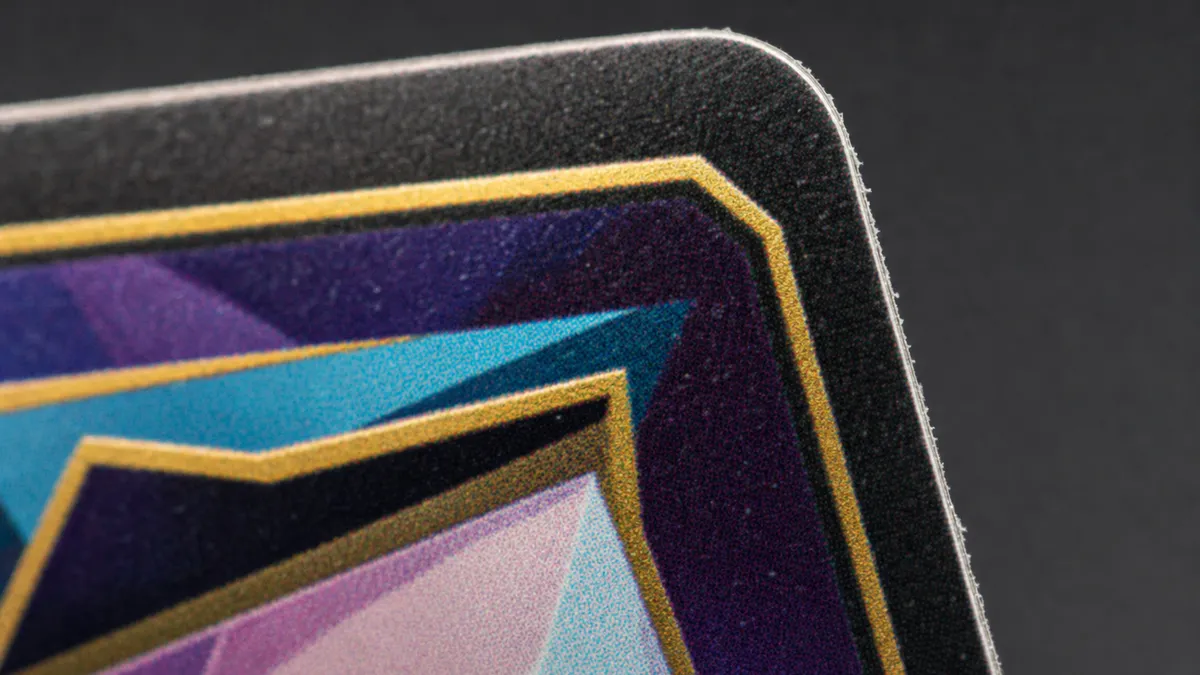 Replica
 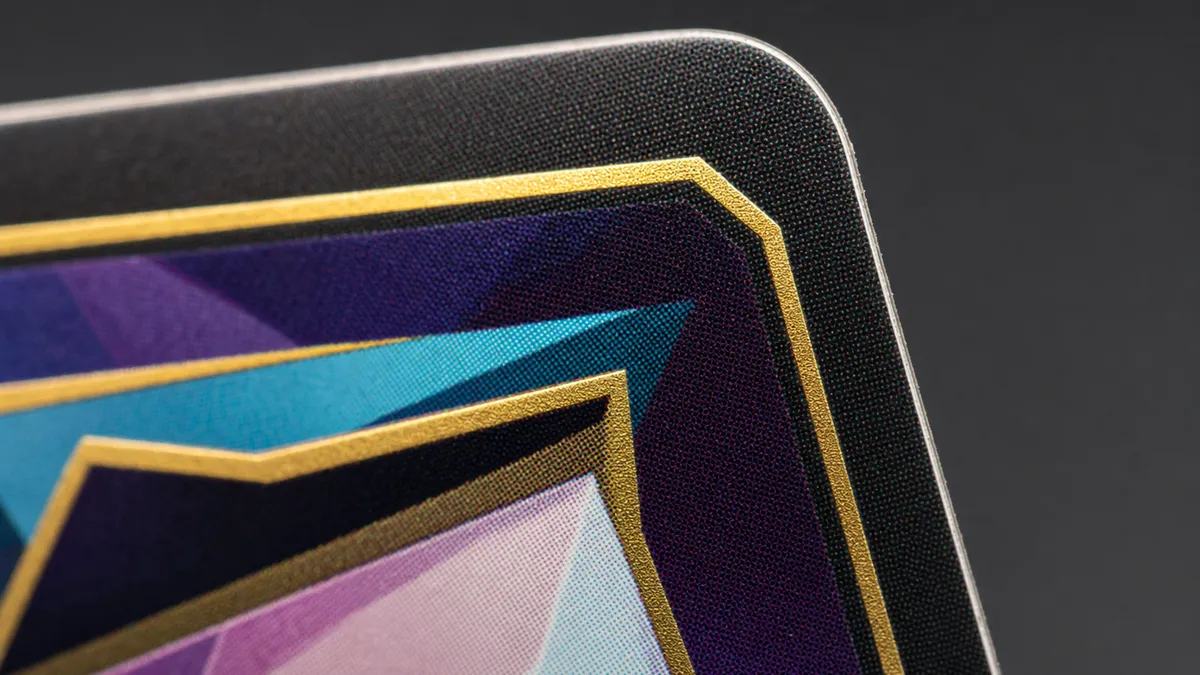 Authentic
 Photo angles for the check
- 1 Overall view
- 2 Logo / tag
- 3 Details & stitching
- 4 Material
Check your Mox Sapphire right now
Snap photos of your item and get an AI verdict with a confidence score in about a minute.
FAQ
How do I tell which set a Mox Sapphire is from?
Look at corners and border: Alpha has the most rounded corners, Beta has sharp corners with a black border, and a white border means Unlimited or a later printing. Square corners with a gold-bordered back mean the genuine Collectors’/International Edition 1993, not a fake. Compare against reference photos of each printing.
What should I check first from photos?
The rosette under a loupe on the blue artwork, the Deckmaster back and front-to-back alignment, and the corner shape. LegitCheck AI checks these zones and flags anything suspicious.
More Magic: The Gathering models
Other trading cards brands
Check another brand in this category: